

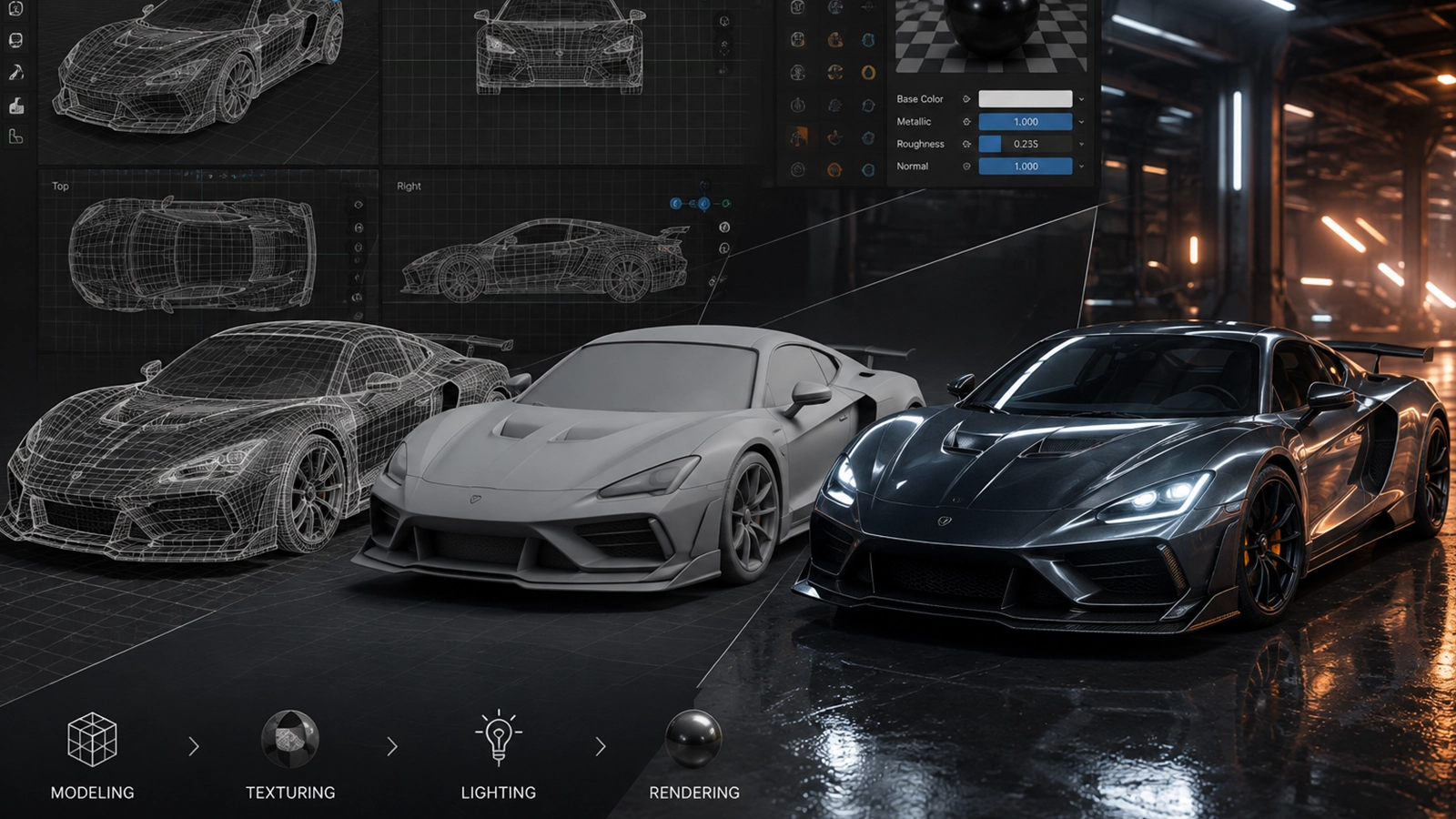
Build believable sets, locations, architecture and natural environments for film and games.
What this guide covers
- Where this topic fits in a professional CGI/VFX pipeline.
- Core concepts and terminology you should understand.
- Practical production considerations: quality, consistency, performance and handoff.
- How the topic connects to modeling, animation, rendering and compositing.
Production perspective
3D Environment Modeling is best understood as part of a connected 3D pipeline. Good results depend not only on the individual technique, but also on clean assets, predictable handoffs, version control, review and final rendering.
As AI-assisted tools become more capable, artists still need strong fundamentals to evaluate topology, motion, materials, lighting, continuity and final-pixel quality.
← Back to CGI & 3D · VFX Hub · AI Video
Where 3D Environment Modeling fits in the production workflow
3D Environment Modeling is best understood as part of a wider creative and technical pipeline. Depending on the project, it may connect with 3D modeling, texturing, lighting, animation, and rendering. Understanding those relationships helps artists choose an efficient workflow instead of treating a technique or software feature in isolation.
What to evaluate on a real project
- What is the intended final output and what quality level is required?
- Which parts of the shot are best handled manually, procedurally, or with tracking/automation?
- How will the work be reviewed, revised, versioned and handed off to the next department?
- What happens when lighting, motion blur, transparency, perspective or other difficult shot conditions change?
Related Zgian guides
Editorial note: software interfaces and AI capabilities change over time. Check current vendor documentation before relying on version-specific features.

