
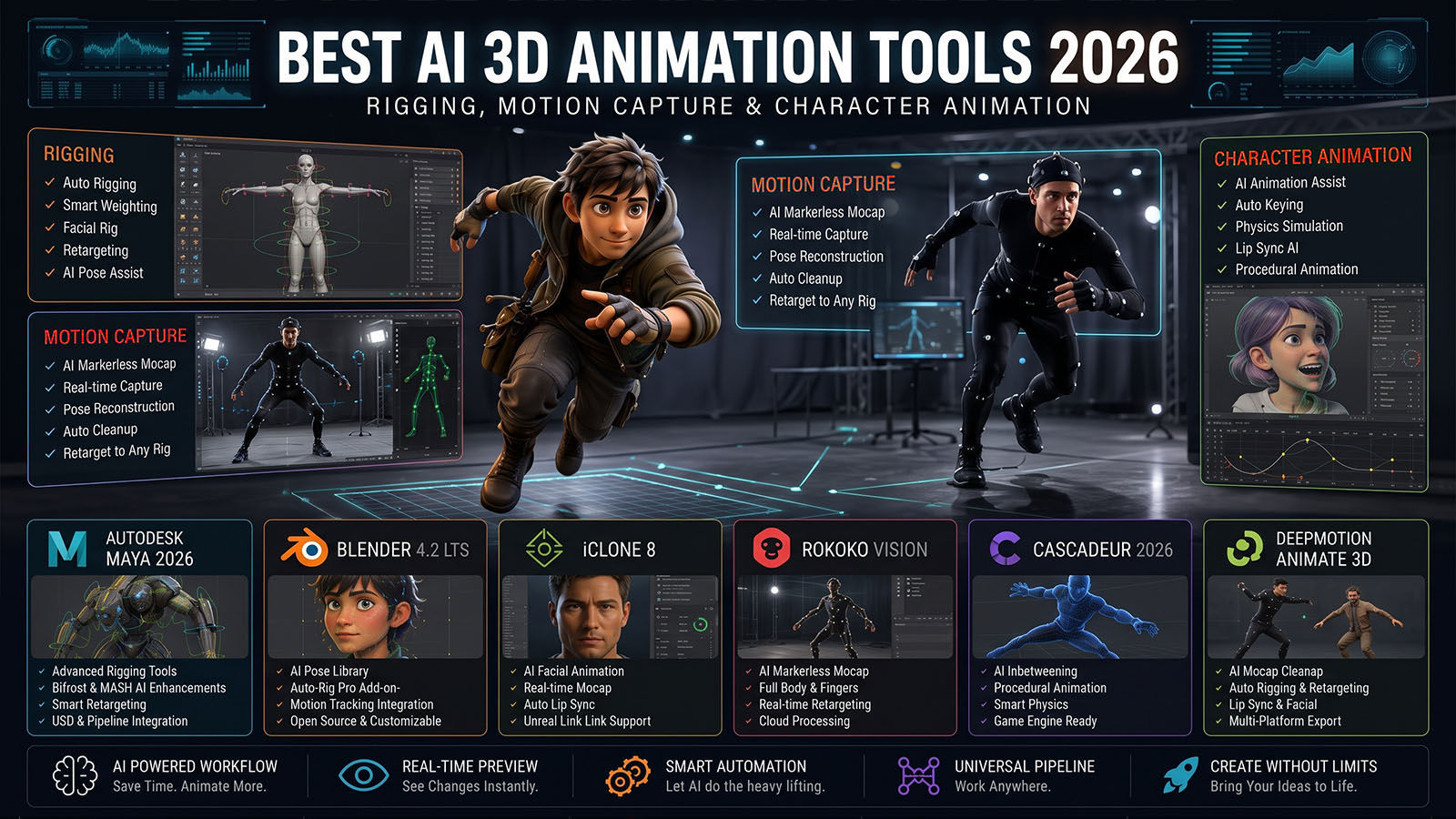


AI is shortening the path from a static 3D character to a moving performance. The biggest gains are appearing in automatic rigging, markerless motion capture, retargeting and animation blocking—but professional shots still need artistic cleanup.
What is AI 3D animation?
AI 3D animation uses machine learning to automate or assist parts of character animation. The category includes automatic rigging, video-to-motion, markerless motion capture, pose estimation, facial capture, hand tracking, motion prediction and animation refinement.
For VFX, the goal is not simply to generate movement. The movement must fit the character’s rig, camera, environment, story and physical contact with the ground.
Think of AI mocap as performance capture plus an animation blocking pass. The more important the shot, the more valuable manual polish becomes.
Best AI 3D animation tools: quick comparison
| Tool / workflow | Best for | Strength | Best fit |
|---|---|---|---|
| Autodesk Flow Studio | AI character pipeline | AI rigging, markerless body/hand/facial mocap, motion prediction and editable exports | VFX, previs and character shots |
| AI video-to-motion | Performance capture | Turn ordinary video into animation data | Creators and small teams |
| Traditional DCC + AI mocap | Final production | AI provides motion; artist handles cleanup, retargeting and polish | Professional VFX |
| AI rigging | Preparing generated characters | Automatic skeleton and skinning setup | Rapid character iteration |
AI rigging: turning a model into an animation-ready character
Rigging creates the skeleton, controls and deformation system that allow a 3D character to move. It is one of the most technical steps between modeling and animation.
Autodesk’s Flow Studio AI Rigging automatically prepares generated characters for animation. Autodesk says characters can be generated from text or images, auto-rigged and then driven by AI mocap or exported to Maya, Blender and Unreal for further work.
Automatic rigging is especially useful for secondary characters, previs and rapid iteration. Hero characters still benefit from custom joint placement, deformation testing and corrective shapes.
AI motion capture: from video to 3D performance
Markerless AI mocap uses video rather than a traditional sensor suit to estimate body movement. That dramatically reduces capture setup for small teams.
Flow Studio currently supports facial, body and hand motion capture from video, with Autodesk highlighting improved pose accuracy, foot contact and more natural motion.
This means a simple camera setup can become a useful source of animation data. Autodesk has also documented a 2026 student workflow where an iPhone on a tripod was used for markerless motion capture.
Autodesk Flow Studio: strongest all-in-one AI animation workflow
Flow Studio has evolved from AI-assisted character replacement into a broader 3D/VFX platform. Its current feature set combines text/image-to-3D generation, AI rigging, AI motion capture, camera tracking, editable exports and Neural Layer.
Its August 2026 3D Editor + Canvas update is particularly important because it adds a central environment for characters, worlds, animations, cameras and scenes instead of treating AI generation as an isolated step.
For Zgian, this is a major example of the direction the industry is taking: AI generation combined with traditional 3D scene control.
Video-to-motion workflow
↓
POSE / BODY ESTIMATION
↓
MOTION DATA
↓
RETARGET TO CHARACTER
↓
FOOT / HAND / BODY CLEANUP
↓
KEYFRAME POLISH
↓
FINAL ANIMATION
The advantage is speed. The disadvantage is that the captured motion inherits problems from the source footage: occlusion, camera angle, poor framing, fast motion and ambiguous body positions.
Facial and hand animation
Body motion is only part of a believable performance. Hands, fingers and facial expressions often reveal AI errors first.
Flow Studio’s current feature set includes facial, body and hand motion capture.
For a hero character, inspect:
- Finger intersections
- Shoulder deformation
- Wrist rotation
- Facial expression timing
- Eye direction
- Lip synchronization
- Foot contact
Retargeting and animation cleanup
Retargeting transfers motion from one skeleton to another. Even when AI mocap is accurate, the target character may have different proportions, joint limits and animation requirements.
| Problem | Typical symptom | Fix |
|---|---|---|
| Different proportions | Hands or feet miss the target | Adjust retargeting and IK. |
| Foot sliding | Feet drift across the floor | Use foot locking / contact correction and keyframe cleanup. |
| Jitter | Small unwanted movement | Smooth curves and remove noise. |
| Occlusion | Limbs disappear or flip | Correct poses manually and use reference frames. |
| Over-rotation | Joints twist unnaturally | Constrain rotations and refine the rig. |
Professional AI animation workflow
1. Prepare the character
Make sure the model has clean proportions and a suitable deformation topology.
2. Rig
Use AI rigging for speed, but inspect the skeleton and skinning before capture.
3. Record the performance
Use a stable camera, clear body visibility and enough space for the performer.
4. Retarget
Map source joints to the target rig and correct scale differences.
5. Clean the animation
Fix foot contact, hand intersections, jitter and impossible joint rotations.
6. Block the shot
Animation is not only movement. Camera, staging and timing determine whether the performance works.
7. Polish
Add keyframes for acting, anticipation, weight and storytelling.
8. Composite
Match the final animation to the tracked camera, lighting and environment.
What AI animation still gets wrong
| Challenge | Why it matters | Artist response |
|---|---|---|
| Foot contact | Small errors make characters look like they float. | Foot locking and keyframe correction. |
| Hands | Fingers are difficult to estimate reliably. | Manual hand cleanup or dedicated hand capture. |
| Occlusion | Hidden limbs create ambiguous motion. | Use cleaner reference footage and manual correction. |
| Weight | Correct pose does not guarantee believable physics. | Polish timing, acceleration and body mechanics. |
| Acting | AI captures movement better than story intention. | Direct and keyframe the performance. |
| Stylization | Real motion may not fit a stylized character. | Modify timing, exaggeration and pose design. |
The highest-value skill is moving from captured motion to believable animation. AI can provide the motion data; the animator makes the performance fit the character and story.
AI animation vs keyframe animation
| AI / mocap-assisted | Traditional keyframe |
|---|---|
| Fast starting motion | Maximum pose and timing control |
| Excellent for realistic movement | Excellent for stylized movement |
| Can capture subtle human motion | Can create motion that is impossible to capture |
| Needs cleanup | Needs more time from the start |
Which AI 3D animation workflow should you choose?
- Choose Flow Studio if you want AI rigging, mocap and character/VFX scene work in one workflow.
- Use AI video-to-motion when you need a fast performance starting point.
- Use a traditional DCC for hero animation, detailed acting and final polish.
- Use a hybrid workflow for most professional VFX: AI capture first, animator polish second.
Where this fits in the Zgian AI + 3D roadmap
This completes the core asset-to-performance chain we’ve been building. It also creates excellent future tutorial opportunities for Zgian: real-world demonstrations of taking a generated character all the way to a finished VFX shot.
Frequently asked questions
What is the best AI 3D animation tool in 2026?
Autodesk Flow Studio is one of the most complete current AI animation workflows because it combines AI rigging, markerless mocap, character generation, scene tools and exports to established 3D applications.
Can AI rig a 3D character automatically?
Yes. Flow Studio currently provides AI Rigging that prepares generated characters for animation.
Can I create 3D animation from a normal video?
Yes. Markerless AI mocap can estimate body movement from video. Flow Studio currently supports this type of workflow and can export motion for use in other 3D tools.
Is AI mocap good enough for professional VFX?
It can provide a strong starting performance, especially for previs and many secondary shots. Hero shots usually benefit from animator cleanup and keyframe polish.
Will AI replace 3D animators?
AI is reducing repetitive setup and capture work, but animation still requires acting choices, timing, staging, character appeal and final quality control.
3D Generalist & VFX Professional · About the author →


