
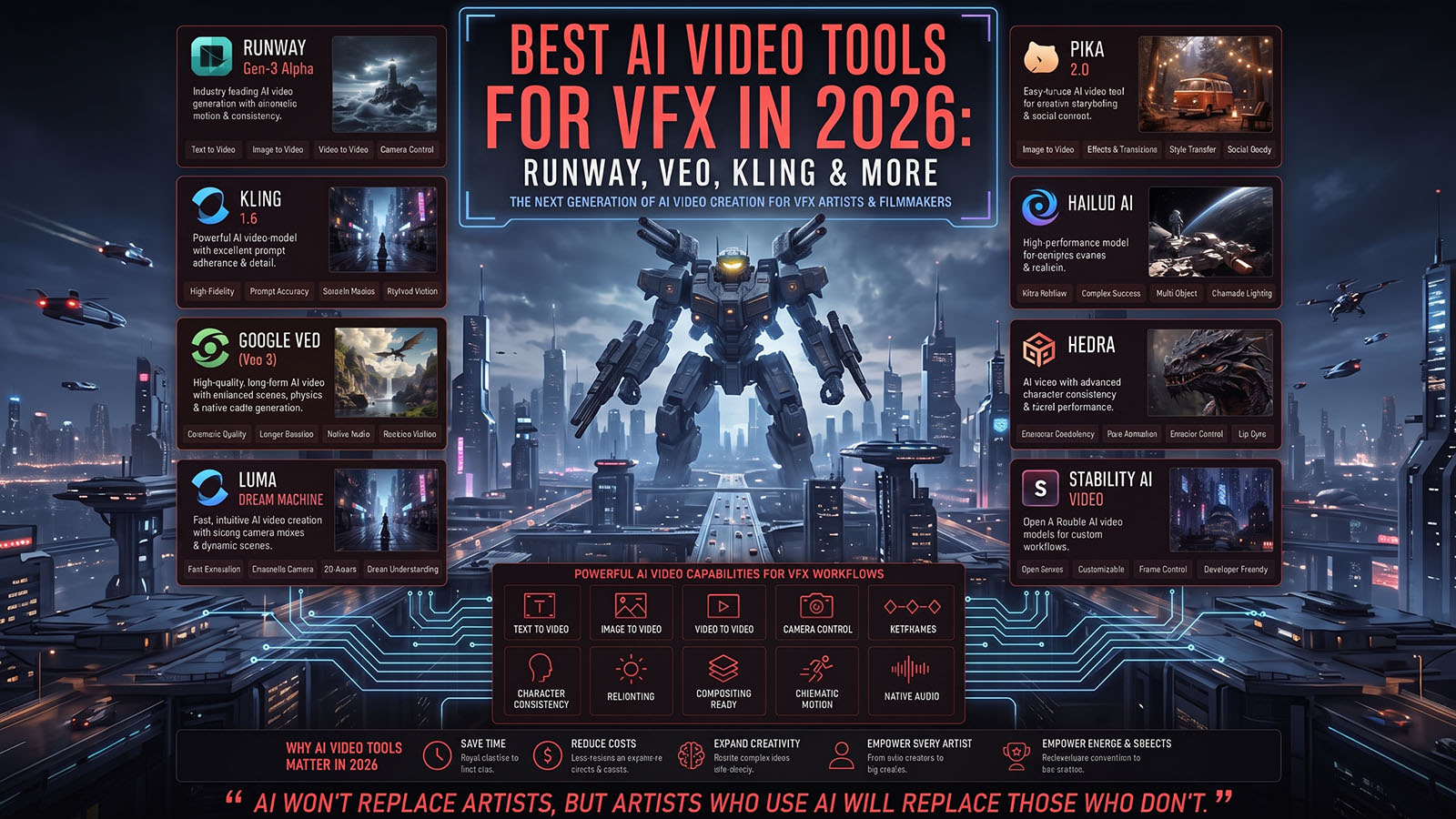


The best AI video tool for a VFX artist is not necessarily the tool with the prettiest demo. The real question is which system gives you the right combination of control, consistency, speed and integration for the shot you are trying to build.
- What makes an AI video tool useful for VFX?
- Runway vs Veo vs Kling for VFX
- AI video for compositing
- AI video for environments
- AI video for characters and creatures
- AI video for previs and concept development
- How should VFX artists build an AI workflow?
- Where does traditional VFX still win?
- How to choose the right tool
- FAQ
What makes an AI video tool useful for VFX?
VFX artists need more than attractive generations. A production tool must help solve a specific shot problem while preserving enough control for the result to fit into a larger pipeline.
Camera, motion, references and repeatable direction.
Consistency
Characters, environments and style across shots.
Integration
Useful footage that can be edited, tracked and composited.
Recent practitioner workflows increasingly use several models rather than one universal generator. Current comparisons describe Veo as a strong quality/audio choice, Kling as a value or motion-oriented option, and Runway as a control-oriented workflow.
Runway vs Veo vs Kling for VFX
| Tool | VFX strength | Good use cases | Watch for |
|---|---|---|---|
| Runway | Hands-on creative control and reference-driven iteration | Environment work, concept VFX, video-to-video, camera-directed shots | Learning curve and current plan/model limits |
| Google Veo | High visual quality, prompt adherence and native audio in current offerings | Hero shots, atmosphere, dialogue/audio experiments, realistic environments | Access, credits, control limitations and changing model versions |
| Kling | Motion, image-to-video and character-focused generation | Character motion, creatures, action, coverage shots and fast iteration | Consistency and exact shot control can still require retries |
Independent 2026 reports repeatedly emphasize that there is no universal winner: the practical advantage comes from matching the model to the shot.
How can AI video help compositing?
AI-generated clips can provide source material for compositing, including atmospheric elements, environmental extensions, concept effects and temporary backgrounds. The key is to treat the generated clip as a plate or element that still needs to match the final shot.
A useful workflow is:
- Define the final camera and composition.
- Generate the AI element with matching perspective and motion.
- Track or align the element to the shot.
- Composite it with live action or CG.
- Match lighting, color, grain, blur and depth.
- Review frame by frame for AI artifacts.
This approach fits the broader VFX principle of separating generation from integration. Runway’s own educational material, for example, describes workflows where practical footage is combined with AI-generated VFX elements and then integrated through compositing.
How can AI video help create environments?
Environment generation is one of the most useful areas for AI video because the artist can use a generated shot as concept material, background imagery or a starting point for further production.
- Matte-painting references
- Background plates
- Establishing shots
- Weather and atmosphere concepts
- Science-fiction or fantasy environment exploration
- Previsualization of locations that do not yet exist
For final VFX, however, the environment still needs to obey the camera, perspective, lighting and continuity requirements of the shot.
How can AI video help with characters and creatures?
Character and creature work is more difficult because identity, anatomy, clothing and motion all have to remain coherent over time.
Image-to-video workflows can be useful when a strong character reference already exists. A locked reference image, consistent description and short shots can reduce drift, although no method guarantees perfect continuity.
Research published in 2026 also shows that current video models can still struggle with physically consistent dynamics, reinforcing why VFX artists should review generated motion rather than treating it as deterministic animation.
How can AI video help previs and concept development?
This is arguably the lowest-risk and highest-value starting point for a VFX team. AI can rapidly explore:
Test angles, movement and framing.
Look Development
Explore lighting, atmosphere and style.
Shot Design
Visualize action before expensive production.
Because previs does not necessarily need final-pixel accuracy, the speed of generation can be more valuable than perfect consistency.
How should VFX artists build an AI workflow?
| Stage | Recommended approach |
|---|---|
| 1. Brief | Define the shot, final camera and what must be controllable. |
| 2. Reference | Create or select a visual reference for characters, products or environments. |
| 3. Model test | Run the same short brief through two or three candidate models. |
| 4. Generate | Use the model that best fits the specific shot. |
| 5. Select | Judge usable frames, not just the first impression. |
| 6. Integrate | Edit, track, composite, grade and add sound as required. |
| 7. QC | Check every frame for identity, geometry, motion and temporal artifacts. |
Build a multi-model workflow. Current 2026 practitioner reports repeatedly describe using different models for different shot types rather than choosing one platform for everything.
Where does traditional VFX still win?
Traditional 2D/3D VFX remains valuable when a shot requires exact, repeatable control.
- Precise camera and object tracking
- Exact character or creature rigs
- Deterministic animation
- Complex simulations
- Exact product geometry
- Multi-shot continuity
- Precise client revisions
- Technical passes and predictable compositing
AI and traditional VFX are therefore complementary. AI can accelerate ideation and generate material, while established 3D and compositing workflows provide control when the shot demands it.
How to choose the right AI video tool for VFX
- Ask what the shot needs. Do you need atmosphere, character motion, a background, a hero shot or previs?
- Decide how much control is required. If the camera must be exact, prioritize controllability over raw visual quality.
- Use references. Image-conditioned workflows can provide a stronger starting point for visual continuity.
- Test short clips. Compare the same brief across models.
- Measure usable output. A beautiful demo is irrelevant if most generations fail.
- Check licensing. Confirm the current commercial terms before client work.
- Keep a backup. Model availability and capabilities can change quickly.
Best AI VFX workflow: the Zgian recommendation
For a small studio or independent VFX artist, a sensible starting stack is:
This makes Zgian’s position clear: AI is another tool inside the VFX pipeline, not the pipeline itself.
Frequently asked questions
What is the best AI video tool for VFX?
There is no universal winner. Runway is a strong starting point for creative control, Veo for high-quality cinematic generation and audio, and Kling for motion and image-to-video workflows. Current 2026 comparisons support a task-based rather than one-model approach.
Can AI video replace traditional VFX?
Not for every production. AI can accelerate some tasks, but traditional VFX remains important where exact geometry, deterministic animation, tracking, simulation, continuity and revision control are required.
Which AI video tool is best for compositing?
Choose based on the element you need to generate and how much control you need over its motion and appearance. A strong workflow may generate the element in one tool and integrate it in a traditional compositor.
Should a VFX artist use more than one AI video tool?
Often yes. Current practitioner workflows commonly mix Runway, Veo and Kling because their strengths differ by shot type.
3D Generalist & VFX Professional · About the author →


