
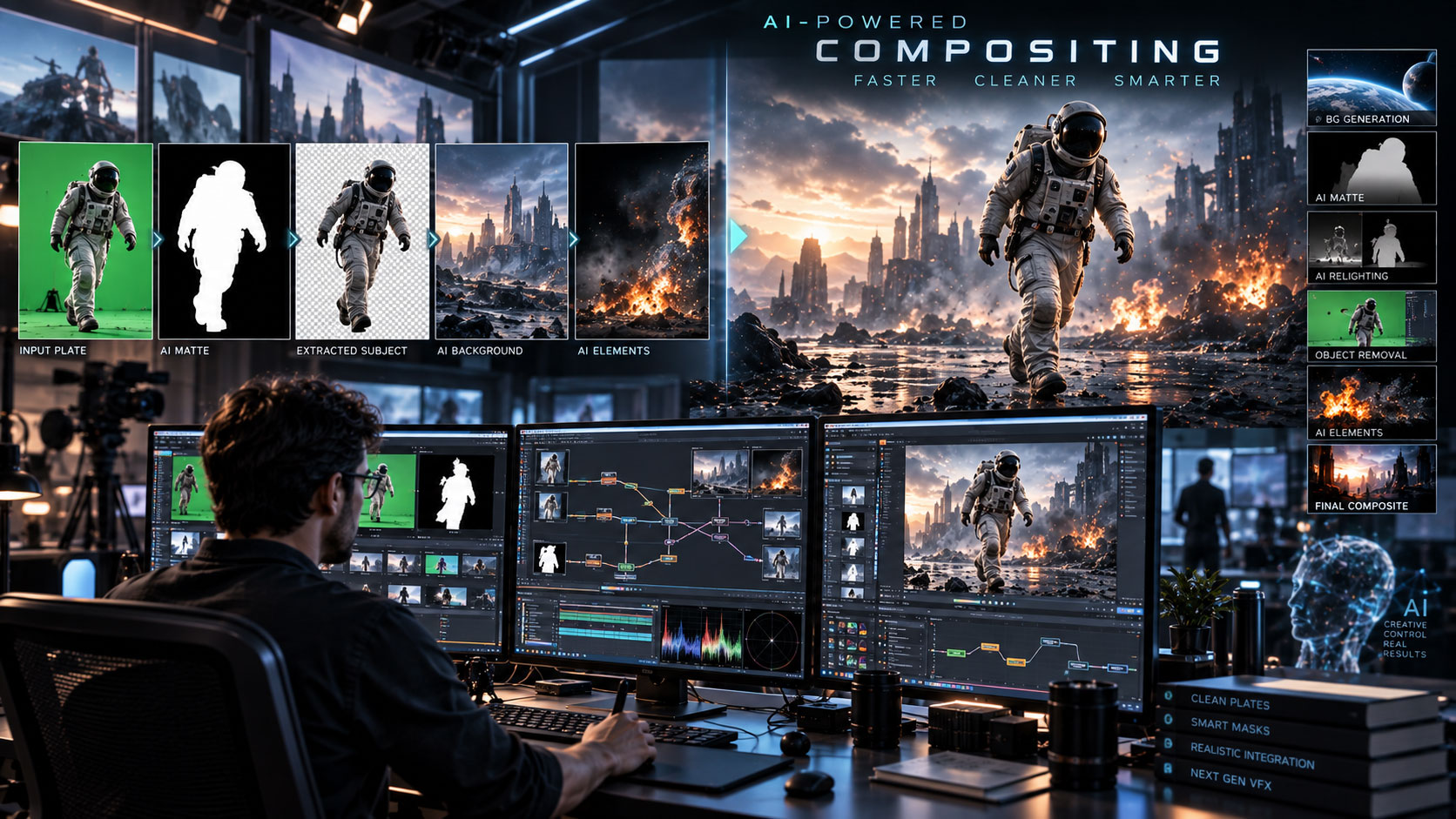

AI is changing how VFX artists isolate, track, clean, relight and integrate images—but the final composite still depends on control. Here is how the major compositing platforms fit into an AI-assisted pipeline.
What is AI compositing?
Traditional compositing combines multiple image elements into one believable shot. AI-assisted compositing adds machine-learning tools that can automate or accelerate parts of that process—such as segmentation, tracking, cleanup, image analysis, relighting or generating missing visual content.
The important distinction is between AI assistance and generative replacement. A compositor may use AI to create a matte but still build the final image manually. That is often more controllable than asking a generative model to produce the entire finished shot.
The strongest AI compositing workflow is usually AI for repetitive decisions + nodes/layers for artistic control + human QC for the final image.
Best AI compositing tools: quick comparison
| Tool | Best for | AI / modern strengths | Best fit |
|---|---|---|---|
| Nuke 17 | High-end film/VFX compositing | Expanded ML capabilities, native Gaussian Splats, USD-based 3D system | VFX studios and professional compositors |
| Fusion 21 / Resolve 21 | Integrated post + VFX | Neural Engine, AI region tracking, node-based 2D/3D compositing | Independent creators and integrated teams |
| Autodesk Flame 2026 | Finishing + VFX | AI segmentation for bodies, heads, faces, skies and objects | Commercials, finishing and high-end post |
| Generative AI tools | Creating/modifying visual content | Fast plates, extensions, object changes and visual exploration | Concept and shot generation |
Nuke 17: high-end compositing benchmark
Foundry released Nuke 17.0 in February 2026 with expanded machine-learning capabilities, a new USD-based 3D system and native Gaussian Splat support. Foundry says Gaussian Splats can be imported, viewed, manipulated, rendered and exported, opening new workflows for set extensions and matte painting.
Nuke is therefore important to Zgian’s AI/VFX strategy for a different reason than a generative video platform: it is a professional compositing environment that is incorporating newer AI and 3D representations into an established node-based pipeline.
Foundry’s 2026 updates also include broader AI activity across its ecosystem, including the acquisition of Griptape to accelerate AI integration across VFX and animation pipelines.
Best for: feature-film VFX, complex node graphs, deep compositing, CG integration and studio pipelines.
DaVinci Resolve / Fusion: best integrated option
Fusion is built into DaVinci Resolve and provides node-based 2D/3D compositing, tracking, rotoscoping, keying, painting and 3D tools. Blackmagic’s current Resolve 21 materials also highlight the DaVinci Neural Engine and automatic AI region tracking in Studio.
This is a major advantage for creators who do not want separate applications for editing, VFX, color and audio. Fusion can handle everything from quick repairs and object removal to complex 3D composites.
Best for: YouTube creators, freelancers, small studios and teams wanting an all-in-one post-production environment.
Autodesk Flame: AI-assisted finishing
Autodesk describes Flame as a finishing and VFX environment with integrated editing, compositing and color. Its AI-powered image segmentation can extract mattes for bodies, heads, faces, skies and other objects, reducing manual isolation work.
Flame is particularly attractive when a project needs finishing and compositing together. Its 3D compositing toolset, tracking and color workflow are designed to keep many finishing operations in one environment.
Best for: commercial finishing, broadcast, high-end post and artists who need fast client revisions.
Where do generative AI tools fit?
Generative AI is best viewed as another source of visual elements. It can create a plate, extend a set, transform an object, produce atmosphere or explore a visual idea. The compositor can then bring that material into Nuke, Fusion or Flame for tracking, masking, grading and integration.
+
AI-GENERATED ELEMENT
+
TRACKING / ROTO
+
LIGHT / COLOR MATCH
+
GRAIN / DEPTH / ATMOSPHERE
=
FINAL COMPOSITE
This keeps the generative stage flexible while preserving control over the final shot.
Professional AI compositing workflow
1. Analyze the shot
Do not begin with an AI prompt. Identify what is actually wrong with the plate. The solution may be tracking, paint, roto, 3D, relighting or generation.
2. Track
Use point, planar, mesh or camera tracking as appropriate. The tracking data should drive the next stage rather than being thrown away.
3. Isolate
Use AI segmentation or roto to create a first-pass matte. Then refine edges and temporal stability.
4. Generate
If a visual element does not exist, use generative AI to create options. Select the best result rather than accepting the first generation.
5. Integrate
Match perspective, depth, scale, motion blur and occlusion.
6. Match
Match light direction, contrast, color temperature, grain and atmospheric perspective.
7. Composite
Keep elements modular. A node-based workflow makes revisions much easier when the client asks for a different background, color or effect.
8. QC
Review the shot at full resolution and at final delivery size. Look for flicker, halos, inconsistent reflections, AI geometry changes and edge chatter.
Which compositing tool for which task?
| Task | Best starting point | Why |
|---|---|---|
| Feature-film node compositing | Nuke | Deep node workflow and studio-oriented VFX pipeline. |
| AI-assisted region tracking | DaVinci Resolve Studio / Fusion | Neural Engine + integrated post workflow. |
| AI segmentation for finishing | Flame | Body, head, face, sky and object isolation. |
| Set extension / generative plate | Generative AI + compositor | Generate content, then integrate it properly. |
| 3D + 2D composite | Nuke or Fusion | Strong 3D compositing environments. |
| Fast creator workflow | Resolve / Fusion | Edit, VFX, color and audio in one application. |
AI compositing vs one-click AI video
| AI compositing | One-click generation |
|---|---|
| Artist controls layers and decisions | Model controls most of the image |
| Easy to revise individual elements | Re-generation may change unrelated details |
| Strong for client VFX work | Strong for fast concept creation |
| Supports precise integration | Can be difficult to match to an existing plate |
For our content and eventual YouTube channel, this distinction is important. We should demonstrate AI inside a VFX pipeline, not simply publish “look what AI generated” videos.
How should you choose?
- Choose Nuke if your target is professional studio compositing and advanced VFX.
- Choose Fusion if you want a broad integrated post-production workflow.
- Choose Flame if finishing, client revisions and AI-assisted segmentation are central.
- Add generative AI when you need new or transformed visual content.
In practice, the strongest workflow may combine more than one tool.
What should Zgian readers learn?
↓
ROTO / MATTE
↓
GENERATIVE ELEMENT
↓
3D / CAMERA
↓
COMPOSITING
↓
LIGHT / COLOR
↓
GRAIN / FINISH
↓
DELIVERY
This sequence connects our recent Zgian articles into one coherent technical learning path: tracking → roto → AI generation → compositing.
Frequently asked questions
What is the best AI compositing software in 2026?
For high-end VFX compositing, Nuke 17 is the strongest specialist choice in this comparison. Fusion is excellent for integrated post-production, while Flame is strong for finishing and AI-assisted segmentation.
Does Nuke have AI tools?
Yes. Foundry’s Nuke 17.0 release expanded machine-learning capabilities and added native Gaussian Splat support, alongside a new USD-based 3D system.
Does DaVinci Resolve Fusion use AI?
DaVinci Resolve Studio includes the DaVinci Neural Engine and automatic AI region tracking, while Fusion provides the node-based compositing and VFX environment.
Is Flame an AI compositing tool?
Flame is a full VFX and finishing system that includes AI-powered image segmentation for bodies, heads, faces, skies and objects.
Can AI replace a compositor?
AI can automate parts of compositing, but complex shots still require integration, artistic judgment, troubleshooting, client revisions and quality control. The strongest workflow combines automation with experienced compositing.
3D Generalist & VFX Professional · About the author →


