
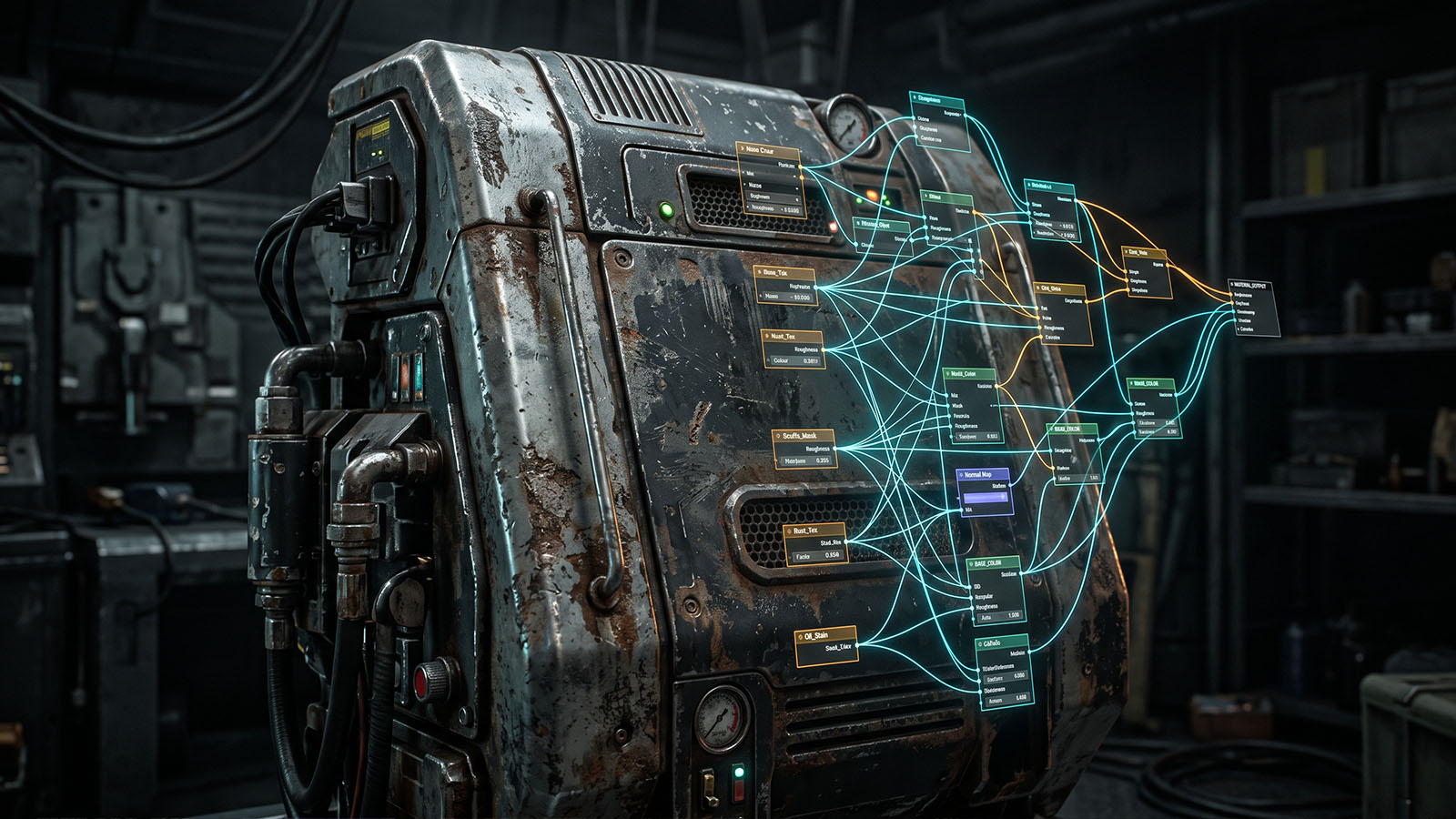

A great 3D model provides the shape, but texturing gives that shape its visual identity: color, roughness, surface detail and the material qualities that make CGI believable.
What is 3D texturing?
3D texturing is the process of defining how a digital object’s surface looks and behaves. Artists can use photographs, hand-painted images, procedural patterns and scanned material data to create the surface information.
Texturing works closely with shading. A texture can tell the renderer where a surface is lighter, darker, rougher, smoother, more metallic, more detailed or slightly displaced.
Realistic texturing is not simply “adding a picture” to a model. The important question is how the surface responds to light. A good texture set describes material behavior as well as visible color.
How do UVs connect to texturing?
UV mapping unfolds a 3D surface into a 2D layout. This gives texture artists a predictable space in which to paint or place image information.
Poor UVs can create stretching, seams or inconsistent texture density. Good UVs make it easier to create clean, detailed surfaces.
Read more: What Is 3D Modeling?
What are texture maps?
A modern asset can use several texture maps, each describing a different property.
The exact maps used depend on the renderer, material and production. Not every asset needs every map.
What is PBR texturing?
PBR stands for physically based rendering. PBR workflows aim to describe materials in ways that produce believable responses to different lighting conditions.
Common PBR workflows use maps such as base color, roughness, metalness and normal information. The renderer then uses those values to calculate how light interacts with the surface.
How are textures created?
Photo-based texturing
Artists can start with photographs of real surfaces. The images may need color correction, cleanup, tiling, projection or conversion into multiple material maps.
Hand painting
Artists paint directly onto a model or its UV layout. This is useful when the surface needs controlled artistic detail or stylization.
Procedural texturing
Procedural systems generate patterns using mathematical or node-based rules. They can create repeatable materials such as stone, wood, metal, dirt and other surfaces.
Scanned materials
Real-world material capture can provide highly detailed information about color, surface response and microstructure.
How do textures make CGI realistic?
Real surfaces are rarely perfectly clean. They contain variation, wear, dirt, scratches, subtle color changes and different levels of roughness.
Adding believable variation helps prevent a digital object from looking like a perfectly uniform computer surface.
- Use variation rather than a single flat color.
- Match texture scale to the physical size of the object.
- Use roughness changes to break up reflections.
- Keep surface detail consistent with the camera distance.
- Make wear and dirt follow believable physical causes.
A typical texturing workflow
- Check the model and UVs: Make sure the asset is ready for surface work.
- Establish the material: Decide what the object is made from.
- Create base color: Build the main color information.
- Add surface response: Create roughness, metalness and other material maps.
- Add fine detail: Introduce scratches, pores, seams, dirt and variation where needed.
- Look-dev under lighting: Test the material in realistic lighting rather than judging only the texture itself.
- Optimize: Keep resolution and map complexity appropriate for the shot.
Always evaluate textures under the lighting they will actually live in. A texture can look impressive in a flat preview but fail when the final shot reveals its roughness and reflections.
Common 3D texturing mistakes
- Texture scale is too large or too small for the object.
- Roughness is identical across the entire material.
- Visible UV seams are ignored.
- Surface detail is too strong for the camera distance.
- Textures are too sharp compared with the live-action plate.
- Material values do not match the physical material.
- Too many huge texture maps make the asset unnecessarily heavy.
What comes after texturing?
For many characters and animated assets, the next major stage is rigging. A rig gives animators controls that can move and deform the model.
Build the shape before surface work.
What Is Rigging?
Prepare the asset for animation.
How Is CGI Made?
See the complete CGI pipeline.
Frequently asked questions
What is 3D texturing?
It is the process of creating and applying surface information to a 3D model so its color, material response and fine detail can be rendered.
What is a texture map?
A texture map is image or data information used to control a property of a 3D material, such as color, roughness, metalness or surface detail.
What is PBR texturing?
PBR texturing uses material properties designed to produce believable responses to lighting across different environments.
Do all 3D models need textures?
No. Some assets can use simple procedural materials or flat colors. The required texture complexity depends on the asset and final shot.
Continue the Zgian CGI & 3D series
3D Generalist & VFX Professional · About the author →

