
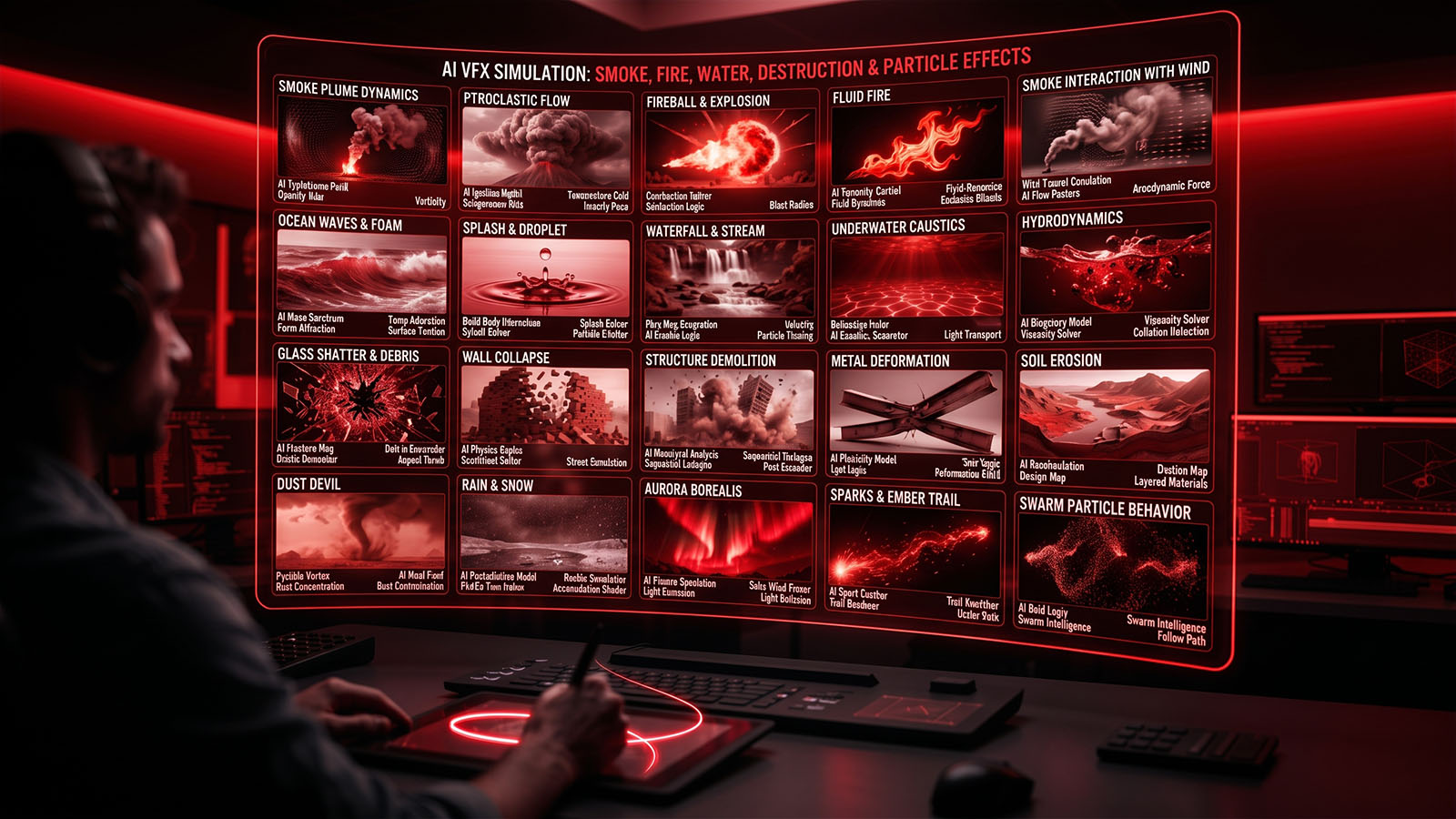

AI can accelerate effects ideation, iteration and certain generation tasks, while physically based simulation remains valuable when motion, interaction and continuity must be controlled.
- What AI VFX simulation means
- AI vs simulation vs hybrid
- Smoke and volumetric effects
- Fire and explosions
- Water and fluids
- Destruction and debris
- Particles, dust and sparks
- Controlling AI-generated effects
- Rendering useful VFX passes
- Compositing simulations
- AI and simulation tools in 2026
- Complete workflow
- Common mistakes
- Final VFX QC
- FAQ
1. What AI VFX simulation means
Simulation creates visual behavior by describing physical rules, forces, materials and interactions. AI-generated effects can instead synthesize an appearance directly from learned visual patterns. These approaches are not interchangeable.
→ PHYSICAL REQUIREMENTS
→ AI / SIMULATION / HYBRID
→ ITERATE
→ RENDER PASSES
→ COMPOSITE
→ QC
If an effect needs to collide with a character, wrap around architecture or respond predictably to a moving camera, controllable simulation often provides the stronger foundation.
2. AI vs simulation vs hybrid
| Approach | Strength | Weakness | Best use |
|---|---|---|---|
| AI generation | Fast visual exploration. | Limited physical control and temporal consistency. | Concepts, background effects, ideation. |
| Traditional simulation | Precise motion and interactions. | More setup and compute. | Hero effects and repeatable shots. |
| Hybrid | Speed plus control. | Needs careful integration. | Most production workflows. |
3. Smoke and volumetric effects
Smoke is driven by density, temperature, velocity, turbulence and environmental forces. AI can help explore the desired visual style, while volume simulation gives precise control when smoke must interact with a scene.
| Shot need | Recommended strategy |
|---|---|
| Small background smoke | AI-generated element or stock/processed element. |
| Smoke wrapping a hero character | Controlled volume simulation or hybrid. |
| Smoke filling a room | Volume simulation with environmental interaction. |
| Stylized smoke | AI concept + art-directed simulation. |
4. Fire and explosions
Fire combines hot gases, combustion appearance, light emission, smoke and debris. A convincing shot usually requires more than one layer.
+ FLAME DETAIL
+ GLOW
+ SMOKE
+ EMBERS
+ DEBRIS
+ INTERACTIVE LIGHT
= EXPLOSION COMPOSITE
AI can help create reference or supplemental elements, but hero explosions benefit from controlled timing and interaction. Match the fire’s light to the surrounding environment so the effect does not look pasted on.
5. Water and fluid effects
Water is particularly sensitive to continuity. Splashes, foam, droplets, reflections and waves all need to behave coherently.
| Water element | Important properties |
|---|---|
| Large body | Wave direction, scale, perspective. |
| Small splash | Droplet timing, gravity and surface contact. |
| Foam | Surface motion and breakup. |
| Water reflection | Environment and lighting consistency. |
| Rain | Depth, speed, exposure and interaction. |
6. Destruction and debris
Destruction shots often require rigid-body motion, fracturing, debris, dust and secondary particles. AI can rapidly generate a visual idea, but simulation provides the control required when pieces must obey a specific impact.
- Define the impact and destruction direction.
- Build or fracture the geometry.
- Simulate primary destruction.
- Add secondary debris.
- Add dust and smaller particles.
- Light the event with interactive illumination.
- Composite all layers with the plate.
7. Particles, dust and sparks
Particles are ideal for building secondary detail. Sparks, embers, dust, rain, snow and small debris can make a larger effect feel connected to the environment.
| Particle | Visual cues |
|---|---|
| Sparks | Bright emission, short trails, gravity. |
| Dust | Soft density, turbulence, depth. |
| Embers | Glow, random motion, fading. |
| Rain | Perspective, motion blur, depth layers. |
| Snow | Slow drift, depth-of-field variation. |
8. Controlling AI-generated effects
The biggest challenge with AI-generated VFX is repeatability. A director may request the same effect with a different camera angle, timing or intensity. Build controls around the generated material wherever possible.
- Keep the original source and prompts/version history.
- Separate foreground, midground and background effects.
- Use masks and tracks to constrain generated regions.
- Match the effect to the camera move.
- Generate variations rather than replacing the approved shot blindly.
- Use simulation or compositing to regain precise control.
9. Rendering useful VFX passes
For complex effects, separate passes make the composite easier to art-direct.
| Pass | Purpose |
|---|---|
| Beauty | Base rendered effect. |
| Emission | Fire, sparks and glowing elements. |
| Volume | Smoke/fog density. |
| Shadow | Grounding and interaction. |
| Velocity | Motion-aware blur and effects. |
| Depth | Atmosphere and depth-of-field control. |
| Mask / ID | Selective grading and compositing. |
10. Compositing simulations
A good simulation can still fail if it is composited incorrectly. Match its exposure, color, sharpness, grain, depth and motion blur to the plate.
→ COLOR / EXPOSURE
→ MOTION BLUR
→ DEPTH
→ SHADOW / LIGHT
→ ATMOSPHERE
→ GRAIN
→ FINAL COMP
See AI Compositing for image integration and AI Motion Blur & Frame Interpolation for temporal finishing.
11. AI and simulation tools in 2026
| Category | Examples / approach | Use |
|---|---|---|
| 3D simulation | Houdini, Blender and comparable systems. | Smoke, fluids, destruction and particles. |
| Integrated VFX | Fusion and other compositing environments. | Simulation integration and finishing. |
| AI video generation | Generative video models. | Reference, concept and supplemental elements. |
| AI image generation | Generative image systems. | Look development and environment concepts. |
| Hybrid workflow | AI + 3D + compositing. | Fast exploration with production control. |
The exact capabilities of AI video systems change quickly. For production, keep versioned source material and treat generated effects as assets that require the same QC as rendered simulations.
12. Complete Zgian AI simulation workflow
↓
EFFECT DESIGN
↓
CHOOSE AI / SIM / HYBRID
↓
BLOCK PRIMARY MOTION
↓
ADD SECONDARY FX
↓
RENDER PASSES
↓
TRACK / MATCH CAMERA
↓
COMPOSITE
↓
LIGHT / COLOR / ATMOSPHERE
↓
TEMPORAL QC
↓
FINAL MASTER
- Define what the effect must physically do.
- Create a quick visual concept.
- Choose the cheapest method that provides enough control.
- Build primary motion first.
- Add secondary particles, smoke and debris.
- Render useful passes.
- Integrate with the tracked plate.
- Match light, color, depth and motion blur.
- Review the complete shot at full speed.
13. Common mistakes
| Mistake | Why it fails | Better approach |
|---|---|---|
| Using AI for every effect | Control and continuity can suffer. | Use AI where it saves time, simulation where control matters. |
| No interaction light | Fire/explosions look pasted on. | Add environmental light and shadow response. |
| Single-layer explosion | Looks flat and generic. | Separate fire, smoke, debris and sparks. |
| Wrong scale | Smoke/fire behavior feels miniature. | Match physical scale and camera perspective. |
| No temporal QC | AI/generated details crawl or morph. | Review every difficult section in motion. |
14. Final VFX QC
- Check the effect against the original plate.
- Check camera tracking and perspective.
- Check interaction with characters and objects.
- Check shadows and interactive light.
- Check depth and atmosphere.
- Check motion blur.
- Check particles and small secondary details.
- Check temporal consistency.
- Check color and exposure.
- Review the final encoded master.
How this fits the Zgian VFX + AI pipeline
AI TRACKING → AI Motion Tracking
AI ROTO → AI Rotoscoping
AI COMP → AI Compositing
AI CLEANUP → AI VFX Cleanup
AI SIMULATION → this guide
Frequently asked questions
Can AI replace VFX simulation?
For some shots, AI-generated effects can replace or supplement traditional simulation. For hero effects requiring predictable physical interaction, controllable simulation remains highly valuable.
Can AI generate realistic smoke and fire?
Yes, AI can generate convincing visual effects, but temporal consistency, interaction and exact art direction may require compositing or simulation support.
What is a hybrid AI VFX workflow?
It combines AI generation with traditional 3D simulation, tracking, compositing and finishing so each stage uses the most controllable method.
What are VFX passes?
Separate renders such as beauty, emission, volume, shadow, depth and velocity that give the compositor more control over the final image.
Why do AI-generated effects look fake?
Common reasons include incorrect scale, inconsistent motion, missing interaction light, poor depth integration, temporal artifacts and insufficient secondary detail.
Continue the Zgian VFX + AI series
3D Generalist & VFX Professional · About the author →

