
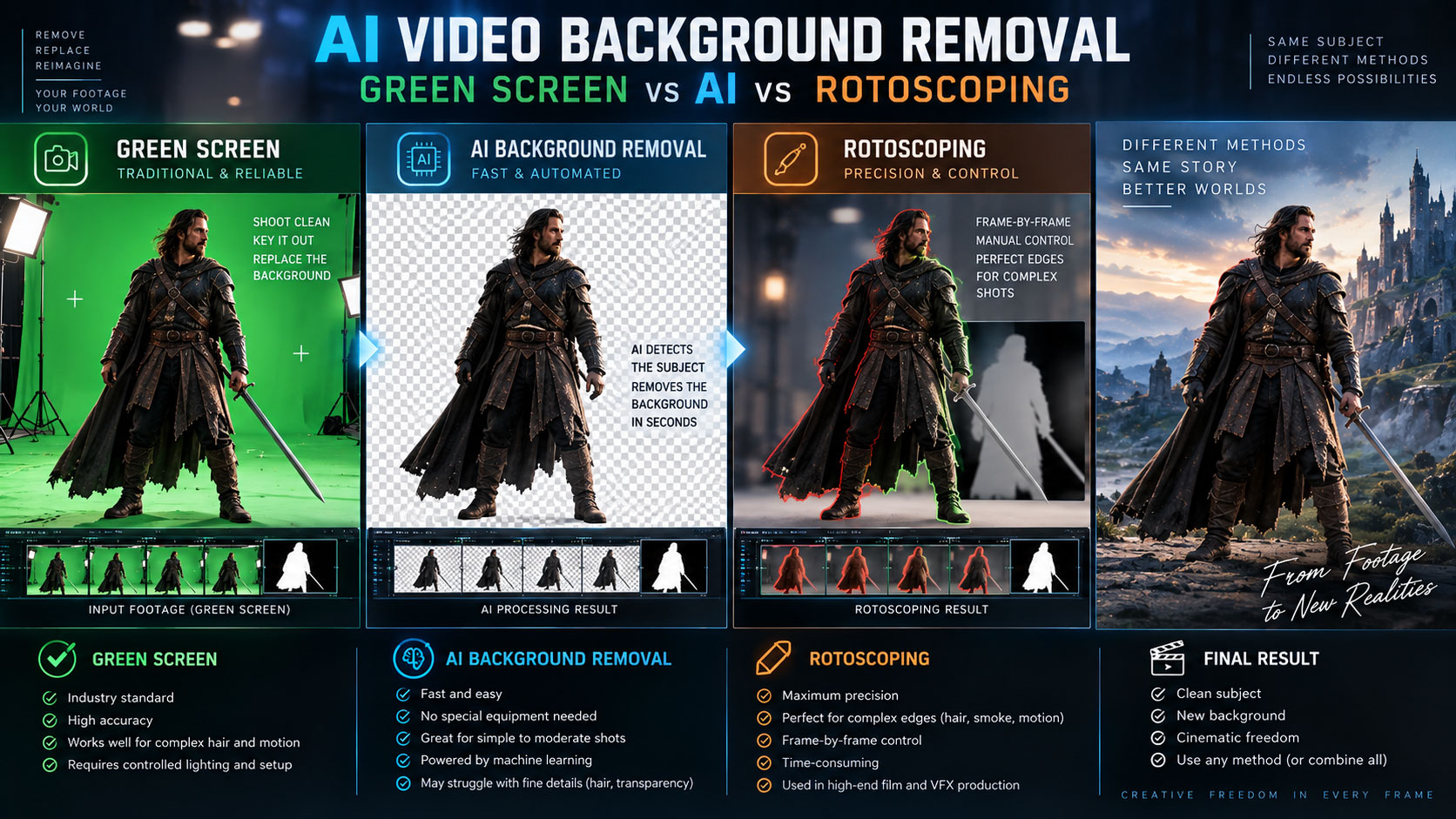

Which method should you use to remove a video background? Compare green screen, AI subject isolation and traditional rotoscoping for hair, motion blur, difficult edges and professional VFX.
The three main background-removal methods
Removing a background means creating transparency or a matte that separates the foreground subject from the original environment. There are three major approaches.
| Method | How it separates the subject | Best situation |
|---|---|---|
| Green screen / chroma key | Uses a specific color to create transparency. | Controlled production shoots. |
| AI background removal | Uses computer vision to identify the subject and propagate a matte. | Fast isolation from ordinary footage. |
| Rotoscoping | Artist creates and animates a detailed matte. | Complex edges and high-control VFX. |
Green screen vs AI vs rotoscoping
| Factor | Green screen | AI | Rotoscoping |
|---|---|---|---|
| Speed | Very fast when shot correctly | Very fast first pass | Slowest |
| Requires special shoot | Usually yes | No | No |
| Hair | Good with good lighting | Can be good, needs review | Maximum control |
| Motion blur | Depends on plate quality | Can be challenging | Artist controlled |
| Large production batches | Excellent | Excellent for first passes | Expensive in labor |
| Final hero shot | Excellent with clean plate | Useful but validate | Excellent |
How AI background removal works
Modern AI isolation tools analyze the image to identify a subject rather than depending on a single background color. Adobe’s current Object Matte lets an artist select a moving subject, propagate the selection across the clip and refine edges.
DaVinci Resolve’s Magic Mask uses the DaVinci AI Neural Engine to isolate people or objects using guided clicks; its current Fusion documentation also describes AI-generated masks for people, objects and specific features.
When green screen wins
If you control the shoot, green screen can still be one of the most reliable ways to create a clean separation. The background color gives the keyer a strong signal to work with.
Adobe’s current After Effects training uses Keylight to sample the green screen, then Screen Matte controls and garbage mattes to refine the result.
Green-screen best practices
- Light the screen evenly.
- Keep the subject separated from the screen.
- Avoid green spill where possible.
- Expose the subject correctly.
- Keep motion blur reasonable for the intended composite.
Adobe also documents Key Cleaner and Advanced Spill Suppressor for difficult green-screen footage.
When rotoscoping wins
Rotoscoping becomes valuable when there is no suitable key color or when the subject overlaps complex backgrounds. It can also provide a controlled matte for only part of a subject.
Our AI Rotoscoping Guide explains how AI Object Matte can accelerate this process while retaining artist refinement.
Traditional rotoscoping remains useful when the matte needs precise frame-by-frame control. Adobe describes Roto Brush as a way to separate moving objects from their backgrounds even when footage was not shot on green screen.
Hair, fine edges and motion blur
Hair is one of the hardest background-removal problems because individual strands can be semi-transparent and move independently. Motion blur creates another challenge because the boundary is spread over multiple pixels.
| Problem | Green screen | AI | Roto |
|---|---|---|---|
| Fine hair | Often good if well lit | Can work, refine edges | Most controllable |
| Motion blur | Can become semi-transparent | May lose detail | Requires careful judgement |
| Translucent fabric | Color spill/keying challenge | Segmentation challenge | Often needs specialized mattes |
| Reflections | Can contaminate key | May be misclassified | Can be separated manually |
Professional background-removal workflow
- Inspect the footage. Identify hair, blur, transparency and reflections.
- Choose the method. Green screen, AI, roto or hybrid.
- Create the first matte. Start with the fastest reliable method.
- Track and propagate. Make sure the matte follows the subject.
- Refine edges. Pay special attention to hair and motion blur.
- Check the matte. View it as black/white before compositing.
- Composite the new background. Match scale, perspective, light and depth.
- Review the whole shot. Look for flicker, halos and edge chatter.
Choose the method that gives you the cleanest matte, not the method with the most AI. The final composite does not care how the matte was created.
Transparent video and export
A background can be removed internally as an alpha/matte and then composited over another image or video. The final delivery format must support the transparency workflow you need; ordinary MP4/H.264 delivery is generally not a transparent-video format.
For web video, a practical approach is often to composite the subject over its final background rather than expecting a generic MP4 to carry an alpha channel. Export requirements depend on the destination and codec.
Common background-removal mistakes
| Mistake | Result | Fix |
|---|---|---|
| Relying on one frame | Temporal flicker | Review the entire shot. |
| Ignoring edge color | Green/blue halo | Spill suppression and edge refinement. |
| Over-feathering | Soft, artificial subject | Keep edge treatment physically believable. |
| Wrong method | Hours of unnecessary cleanup | Switch to AI, keying or roto earlier. |
| No background integration | Floating subject | Match light, color, blur, grain and depth. |
Example: putting a presenter into a new environment
If the presenter was shot on green screen, key the background and refine spill. If the presenter was shot in an office without a green screen, AI Object Matte or roto can create the initial separation. Then place the presenter into the new environment and match perspective, exposure, color, edge softness and atmosphere.
The background replacement itself is only half the work. The subject must look as though the camera photographed the person and the new environment together.
How this fits the Zgian AI/VFX cluster
AI COMP → AI Compositing Guide
OBJECT REMOVAL → AI Object Removal Guide
FULL PIPELINE → AI VFX Workflow for Film
Frequently asked questions
Can AI remove a video background without a green screen?
Yes. AI subject-isolation tools can create mattes from ordinary footage. Adobe’s current Object Matte is designed to isolate moving subjects without requiring a green screen.
Is AI background removal better than green screen?
Not universally. Green screen is highly reliable when the shoot is controlled, while AI is valuable when the footage is already captured and no clean key color exists.
Which is better for hair: AI or green screen?
Both can work well. A carefully lit green screen can provide excellent separation, while modern AI tools can assist with fine details. Difficult hair still requires edge refinement and QC.
Can I export a video with a transparent background?
Some codecs and containers support alpha channels, but common MP4/H.264 delivery generally does not. Choose the export format based on where the transparent asset will be used.
Should filmmakers still use green screens in 2026?
Yes. AI has expanded the options, but green screen remains valuable when you can control the shoot and want a predictable matte for large-scale production.
Continue the Zgian AI + VFX series
3D Generalist & VFX Professional · About the author →


